Free your TV.
Make it Live.
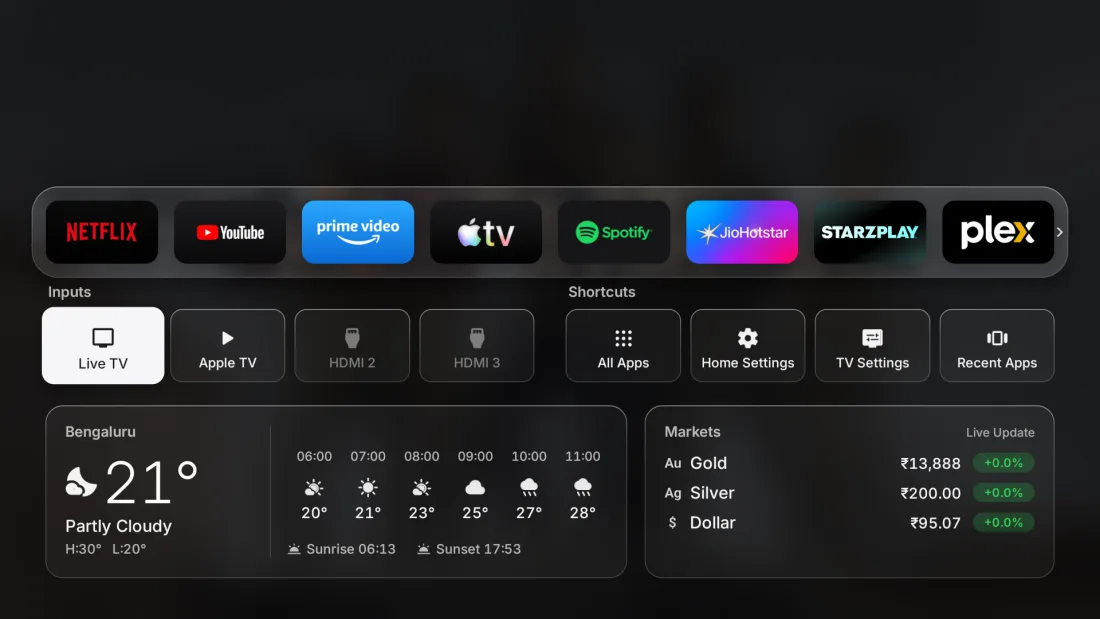
Swap the ad-filled home screen for a fast, clean one. Your apps front and center, trending picks from the services you already use, live TV, the weather at a glance, and a look that follows the sunset. One button to undo.
Download the appFree · APK, about 6 MB

Thousands of channels, one remote.
Live TV is built into the home screen. Browse free channels from India and around the world by category, search by name, star your favourites and pick up where you left off. A TV guide shows what's on now and next, and logos make every channel easy to spot.
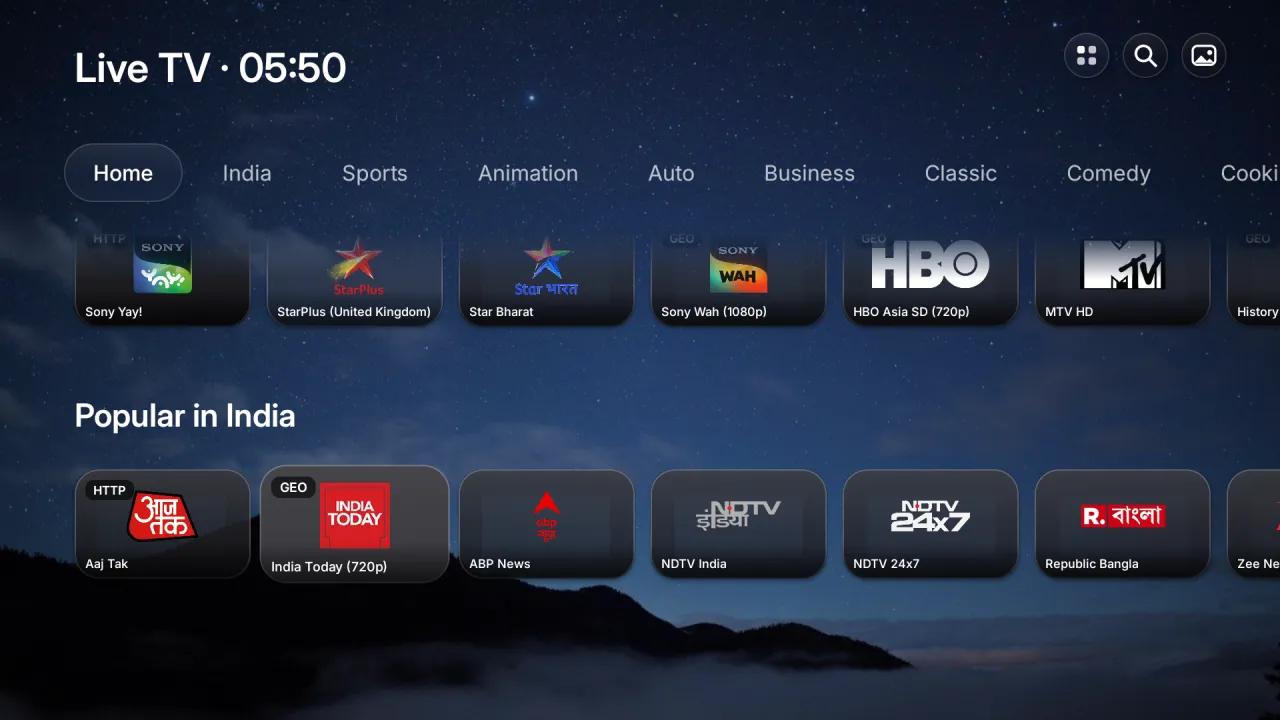
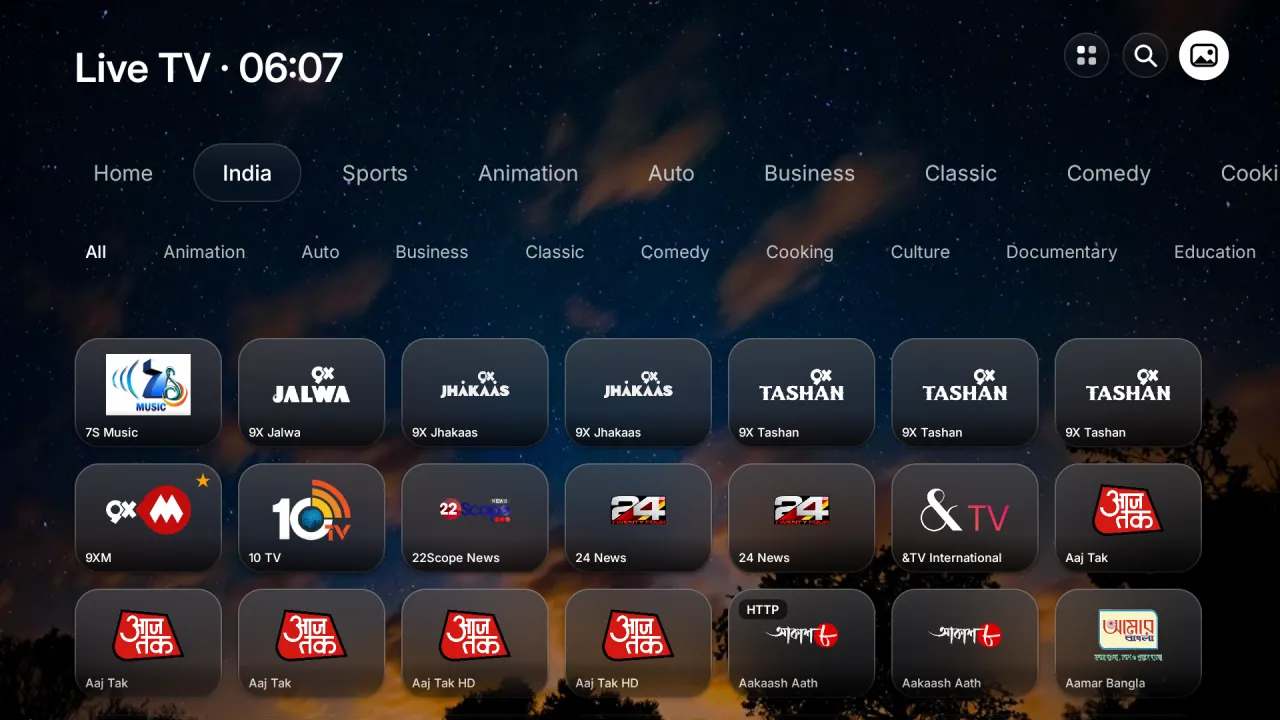
Your home screen shouldn't be a billboard.
Same TV, same apps, minus the sponsored rows. Every pixel on screen is something you chose: no autoplaying promos, no paid placements, no clutter between you and what you want to watch.
Everything you need. Nothing you don't.
Trending, not sponsored
Fresh picks every hour from what's trending this week and the latest releases, only from the apps you already have. Movies and shows get their own tabs. Powered by TMDB.
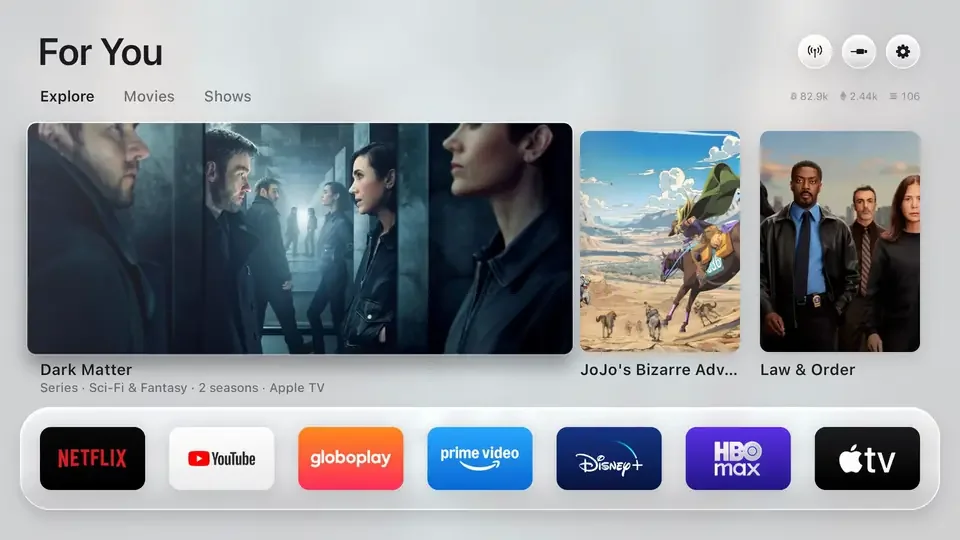
Your apps, front and center
The streaming apps you actually use, on a glass shelf that comes alive under the remote. Nothing you didn't ask for.
Weather and markets
Hour-by-hour or 5-day forecast, sunrise and sunset, and live gold and crypto prices in your currency. One press down.
Light by day, dark by night
foxenaTVOS follows the real sunset where you live and eases into a darker look, the way your phone does. No setting to touch.
Continue Watching
Put what you left halfway on top, with its progress. OK picks it up in its app.
Now Playing
Music, podcasts or radio show on the home screen and screensaver: title, artist and app.
A screensaver to match
Full-screen photos of the picks, or up to 100 of your own, with a big glass clock.
Sleep timer
Turn the TV off in 5 minutes to 4 hours, over any app.
Remote buttons
Choose what your remote's Netflix, YouTube and Prime buttons open on TCL, Sony, Xiaomi, Hisense and more.
Lighter, faster, quieter.
Stock home screen vs. foxenaTVOS on a 98″ TCL Google TV running Android 14.
less memory used by the home screen, so more is left for your apps.
60 fps
Every frame in 16.6 ms, on the TV's own modest chip.
Not a single one
No sponsored banners, rows or promos.
No root. No cloud. Just your TV.
Allow it once
Turn on developer options and accept the "Allow USB debugging?" prompt on the TV. That's the only permission it needs.
It swaps the home screen
Through the TV's own ADB (localhost, nothing leaves the TV) it becomes your home screen and screensaver, and turns off the stock launcher plus a short list of promo apps. Nothing is uninstalled.
Undo anytime
One button brings back the factory home screen, screensaver and every app. If something ever goes wrong, it switches back by itself.
About ten minutes, start to finish.
First, on the TV: Settings → System → About, press Android TV OS build 7 times. Back in System, open Developer options and turn on USB debugging.
Option 1: Downloader
- Install the free Downloader app from the Play Store.
- Open it, type
mytvos.foxena.com/foxenaTVOS.apkand choose Install. Allow it to install apps if asked. - If Google Play Protect warns you, choose More details, then Install anyway.
Option 2: USB drive
- Download the APK on a computer or phone and copy
foxenaTVOS.apkto a USB drive. - Plug it into the TV, open a file manager app (File Commander or X-plore) and open the APK.
- Allow the file manager to install apps if asked, then choose Install.
Then, on the TV: open foxenaTVOS → Home Screen → foxenaTVOS. When the TV asks Allow USB debugging?, tick Always allow and accept. The trending picks work right away. New versions install from Home Settings → Updates.
On TCL TVs, also let it run in the background. From a computer on the same network: adb shell "appops set io.freemytv AUTO_START allow || appops set io.freemytv APP_AUTO_START allow"
Works with your TV.
Runs right on Google TV and Android TV sets and streamers.
Good questions.
Is it safe?
It uses the same commands as Android's own developer tools, from inside the TV. Nothing is rooted or uninstalled: apps are only turned off and come back with one button. Picture, sound, inputs and your accounts are never touched.
How do I go back?
Open foxenaTVOS → Home Screen → Original. Your factory home screen, screensaver and every app come back. If the app ever crashes repeatedly, it switches back by itself.
Does it cost anything?
No. It's free.
Do I need an account?
No. No sign-up, no keys to paste: the picks work from the first launch.